Construction
Build a part up step by step with the typed construction tools — boolean_op, apply_feature, transform_body, mirror_or_pattern. Each call mutates the running body in place (or feeds its outputBodyId into the next step), so the model grows down the page and every render shows the cumulative result. All four tools are on both the Swift occtmcp-server and the Node server.
Because boolean_op and apply_feature record topology history, a selectionId you picked before a mutation remaps cleanly afterwards — see Selection & remap.
Scenario — a mounting boss: fuse a cylindrical post onto a base plate, round every edge, bore a central hole, then replicate the finished part into a row.
Every step below is a real, runnable tool call; the figures are render_preview PNGs of the scene after that step.
0. Seed two bodies — execute_script
There’s no typed primitive-maker, so start the scene with a short script that adds the base plate and the post that will become the boss (the post’s base sits 4 mm inside the plate so the union is a clean solid). Everything after this is typed tools.
{
  "description": "base plate + post",
  "code": "import OCCTSwift\nimport ScriptHarness\n\nlet ctx = ScriptContext()\nlet C = ScriptContext.Colors.self\n\nguard let plate = Shape.box(origin: SIMD3(0, 0, 0), width: 80, height: 60, depth: 12),\n      let post = Shape.cylinder(at: SIMD3(40, 30, 8), direction: SIMD3(0, 0, 1), radius: 15, height: 28) else {\n    throw ScriptError.message(\"setup failed\")\n}\n\ntry ctx.add(plate, id: \"plate\", color: C.steel, name: \"Plate\")\ntry ctx.add(post,  id: \"post\",  color: C.steel, name: \"Post\")\ntry ctx.emit(description: \"base plate + post\")\n"
}
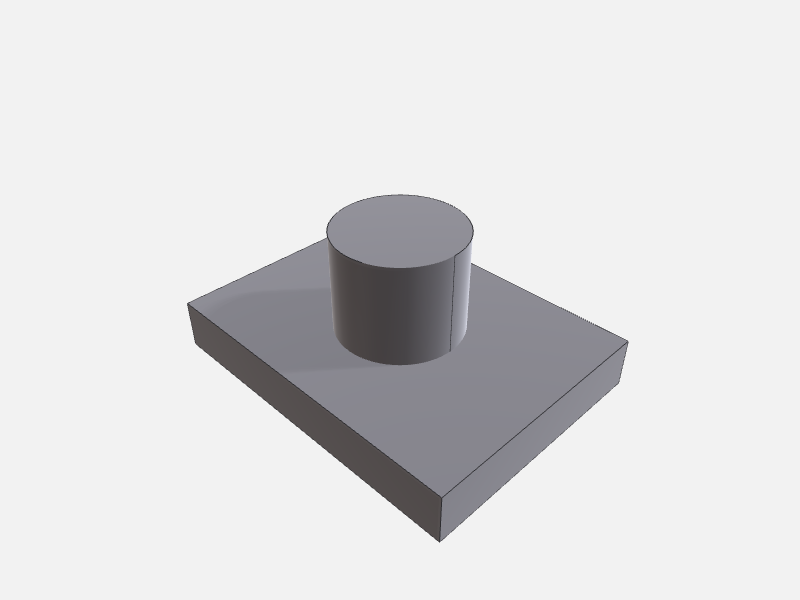
See Authoring with execute_script for the script template. Reference: execute_script.
1. Fuse the post onto the plate — boolean_op
Union the two bodies into one solid bracket. removeInputs: true drops plate and post from the scene, leaving just the fused result.
{ "op": "union", "aBodyId": "plate", "bBodyId": "post", "outputBodyId": "bracket", "removeInputs": true }
// result
{ "message": "Boolean union(plate, post) → \"bracket\"; inputs removed." }
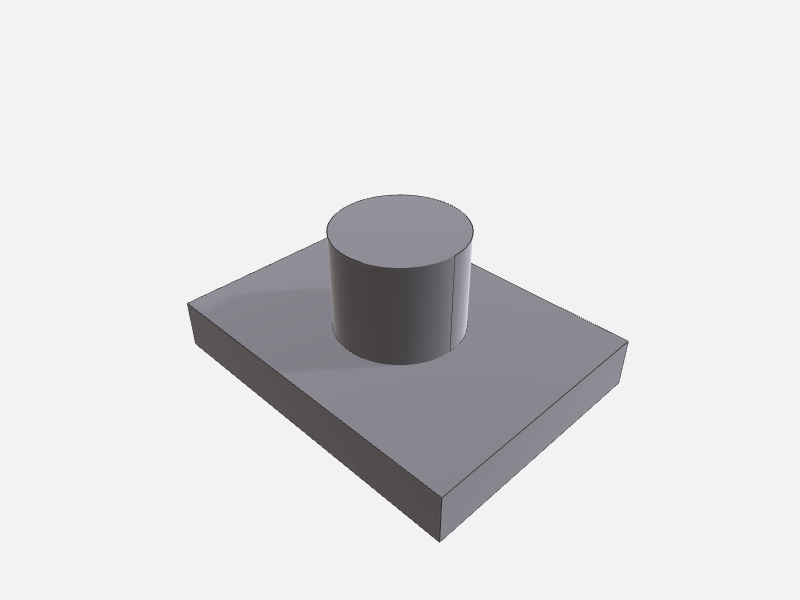
Reference: boolean_op (op: union / subtract / intersect / split). bracket carries per-input history for both plate and post, so a selectionId that lived on either survives a remap_selection.
2. Round every edge — apply_feature (fillet)
The fillet feature blends all edges to the given radius — no edge list needed. Omitting outputBodyId mutates bracket in place.
{ "bodyId": "bracket", "feature": { "kind": "fillet", "radius": 2 } }
// result
{ "bodyId": "bracket", "inPlace": true, "outputPath": "…/bracket.brep" }
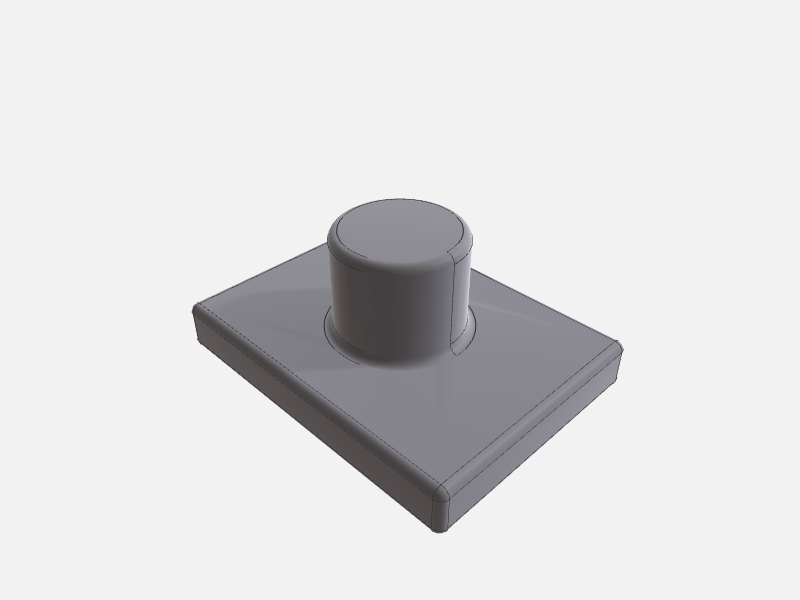
Reference: apply_feature. The feature object is a FeatureSpec keyed by kind; fillet takes just radius, chamfer takes distance.
3. Bore a central hole — apply_feature (hole)
The hole feature drills a cylinder along an axis. Here it goes straight down the part’s centre (axis_point above the top face, axis_direction pointing down), again in place.
{
  "bodyId": "bracket",
  "feature": {
    "kind": "hole",
    "axis_point": [40, 30, 40],
    "axis_direction": [0, 0, -1],
    "diameter": 14,
    "depth": 44
  }
}
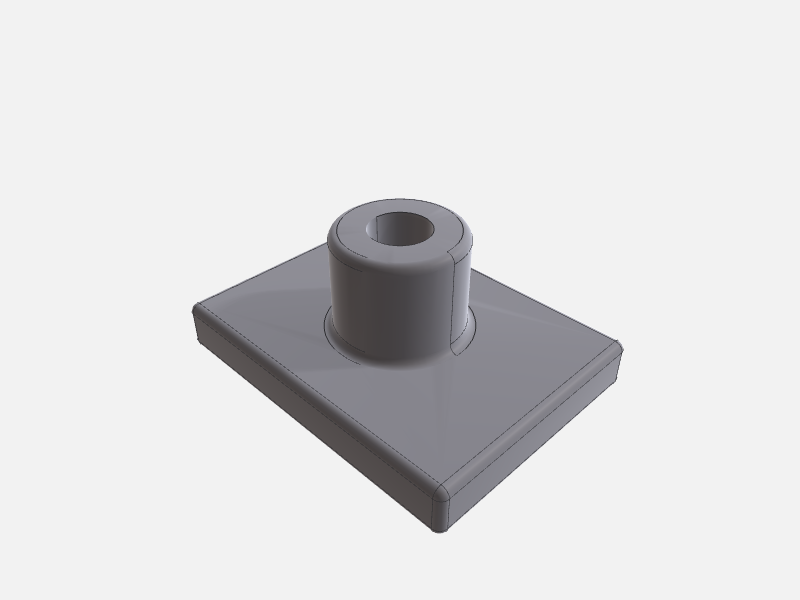
Reference: apply_feature. Note the snake_case keys (axis_point, axis_direction) — this is the FeatureSpec JSON the reconstructor decodes. This is the finished single part.
4. Replicate into a row — mirror_or_pattern
A linear pattern copies the finished bracket along a direction. mirror_or_pattern produces new bodies rather than mutating in place, so it takes an outputBodyId.
{
  "bodyId": "bracket",
  "kind": "linear",
  "params": { "direction": [1, 0, 0], "spacing": 100, "count": 3 },
  "outputBodyId": "row"
}
// result
{ "message": "Pattern linear on \"bracket\" → \"row\"." }
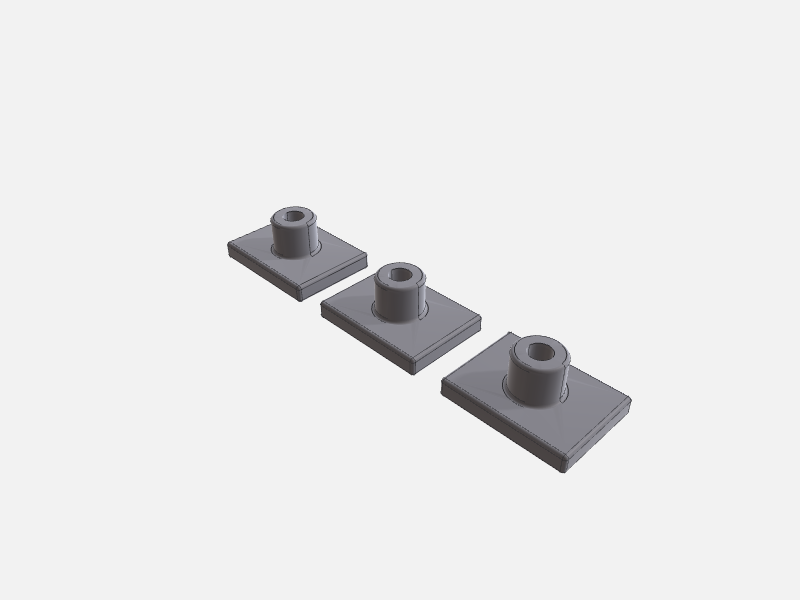
Reference: mirror_or_pattern — circular takes axisOrigin / axisDirection / totalCount; mirror takes a plane. Because the copies aren’t OCCT history-derivatives of the source, map a source selectionId onto a copy with find_correspondences, not remap_selection.
The finished part
The single bored bracket from step 3, as an interactive model (drag to orbit):
🖱️ Drag to orbit · scroll to zoom · auto-rotating. The static render shows until the 3D model loads. (Model exported from this recipe’s tool calls via export_scene → glTF.)
To render any step yourself, call render_preview with { "outputPath": "<output_dir>/preview.png", "options": { "camera": "iso" } }.