Display Modes
DisplayMode controls how geometry is rendered in the viewport. Set it on ViewportController.displayMode — a @Published property, so SwiftUI views update automatically.
controller.displayMode = .shadedWithEdges
Modes at a glance
| Mode | displayName | Surfaces | Edges | Smooth | Transparent | Shortcut |
|---|---|---|---|---|---|---|
.wireframe | Wireframe | — | ✓ | — | — | w |
.shaded | Shaded | ✓ | — | ✓ | — | s |
.shadedWithEdges | Shaded + Edges | ✓ | ✓ | ✓ | — | e |
.flat | Flat | ✓ | — | — | — | — |
.unlit | Unlit | ✓ | — | ✓ | — | — |
.xray | X-Ray | ✓ | ✓ | ✓ | ✓ | x |
.rendered | Rendered | ✓ | — | ✓ | — | — |
The showsSurfaces, showsEdges, usesSmoothShading, and usesTransparency properties on DisplayMode expose these flags programmatically, useful if you are building a toolbar or binding a picker.
// Show the mode name in a label
Text(controller.displayMode.displayName)

// React to whether edges are drawn
if controller.displayMode.showsEdges {
    // ...
}
Mode descriptions
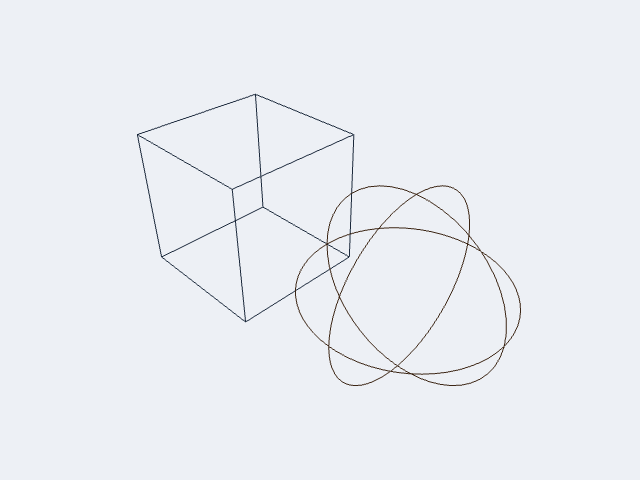
.wireframe
Draws only the polyline edge geometry — no surface fill. Useful for inspecting mesh topology without surface occlusion. Keyboard shortcut: W.
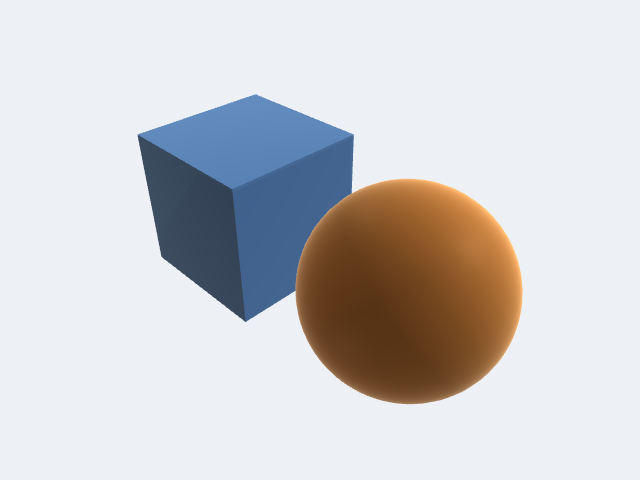
.shaded
Three-light Blinn-Phong + hemisphere ambient + Fresnel rim. The default and most common mode for geometry review. Keyboard shortcut: S.
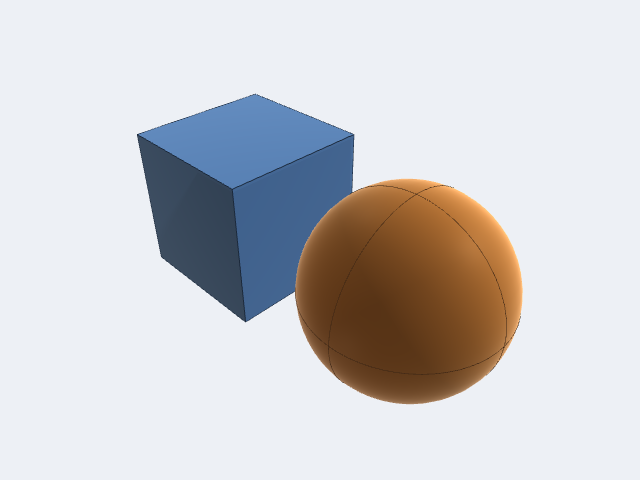
.shadedWithEdges
Shaded surfaces with contrast-adaptive wireframe edges overlaid. Helps show both silhouette and internal topology simultaneously. Keyboard shortcut: E.
.flat
Shaded surfaces with flat (face-constant) normals — no smooth interpolation across triangles. Useful for inspecting faceting, reviewing mesh density, or achieving a cel-shaded aesthetic.
.unlit — diagnostic / debug renders
Added in v1.1.21 (issue #77). Each body is drawn in its constant base colour with no lighting, ambient, shadows, Fresnel rim, curvature weighting, or tone mapping. The interactive SSAO / ACES tone-map post-pass is skipped entirely so it cannot re-desaturate colours after the fact.
This mode exists because the full PBR path (shaded) hue-shifts saturated body colours — a bright magenta reads as greenish after ACES tone mapping, and hemisphere ambient lifts dark hues. When colour-coding bodies for diagnostic purposes (validation passes, per-feature heat maps, imported point data) you need the colour you set to be the colour you see.
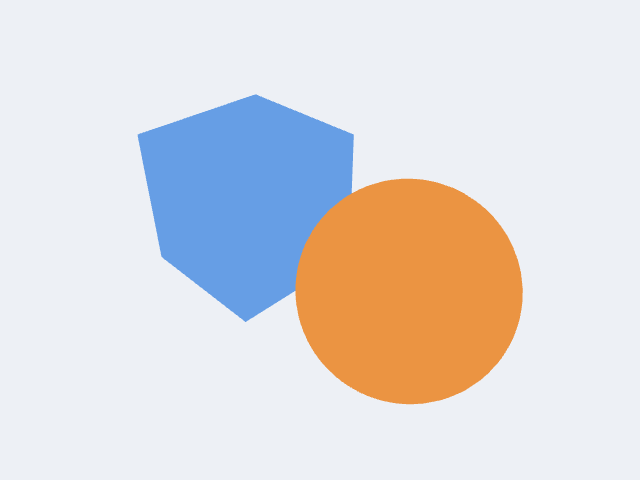
Clip-plane discard and the selection tint still apply in .unlit, so interactive picking and highlighting work normally.
// Colour-code bodies for a diagnostic render
for (index, body) in bodies.enumerated() {
    var coded = body
    coded.color = diagnosticColor(for: index)
    controller.viewportBodies.append(coded)
}
controller.displayMode = .unlit
.xray
Transparent surface fill with edges, so internal structure is visible through the model. usesTransparency is true only for this mode. Keyboard shortcut: X.
.rendered
Nominal placeholder for a full PBR / material / texture pipeline. Defined in the enum and accepted by ViewportController; the degree to which it differs from .shaded in a given release is version-dependent — check the CHANGELOG for the current state.
Setting the mode
From SwiftUI
Bind a Picker directly to controller.displayMode:
Picker("Display Mode", selection: $controller.displayMode) {
    ForEach(DisplayMode.allCases, id: \.self) { mode in
        Text(mode.displayName).tag(mode)
    }
}
.pickerStyle(.menu)
From a toolbar button
Button("Wireframe") {
    controller.displayMode = .wireframe
}
Cycling through modes
ViewportController exposes a cycleDisplayMode() method that steps through all cases in declaration order — useful for a single keyboard shortcut or a cycle button:
Button(action: controller.cycleDisplayMode) {
    Image(systemName: "circle.grid.2x2")
}
Reading the keyboard shortcut
if let key = controller.displayMode.keyboardShortcut {
    Text("Shortcut: \(String(key))")
}
Initial mode from configuration
Pass a ViewportConfiguration with a preset displayMode when constructing the controller so the viewport opens in the right state:
var config = ViewportConfiguration()
config.displayMode = .shadedWithEdges

let controller = ViewportController(configuration: config)
Choosing a mode
| Goal | Recommended mode |
|---|---|
| General geometry review | .shadedWithEdges |
| Clean presentation / screenshot | .shaded |
| Mesh / topology inspection | .wireframe |
| Colour-coded diagnostic render | .unlit |
| Inspect internal structure | .xray |
| Faceting / mesh density review | .flat |